> For the complete documentation index, see [llms.txt](https://features.scnd.com/llms.txt). Markdown versions of documentation pages are available by appending `.md` to page URLs; this page is available as [Markdown](https://features.scnd.com/v2.0/front-office/search-result-pages/listings-search-results-page-per-category-all-rendering-types.md).
# Listings search results page per category (All Rendering types)
Understand the search results page per category
{% hint style="info" %} Path: Homepage > Category
{% endhint %}
* [Definition](#id-1.16.x-listingssearchresultspagepercategory-allbundles-definition)
* [Create a search results page per category](#id-1.16.x-listingssearchresultspagepercategory-allbundles-createasearchresultspagepercategory)
* [Read the search results page per category](#id-1.16.x-listingssearchresultspagepercategory-allbundles-readthesearchresultspagepercategory)
* [Detailed category breadcrumb](#id-1.16.x-listingssearchresultspagepercategory-allbundles-detailedcategorybreadcrumb)
* [Map section](#id-1.16.x-listingssearchresultspagepercategory-allbundles-mapsection)
* [Listings section](#id-1.16.x-listingssearchresultspagepercategory-allbundles-listingssection)
* [Alert section](#id-1.16.x-listingssearchresultspagepercategory-allbundles-alertsection)
* [Listings paging](#id-1.16.x-listingssearchresultspagepercategory-allbundles-listingspaging)
* [Update the search results page per category](#id-1.16.x-listingssearchresultspagepercategory-allbundles-updatethesearchresultspagepercategory)
* [Delete the search results page per category](#id-1.16.x-listingssearchresultspagepercategory-allbundles-deletethesearchresultspagepercategory)
* [Related resources](#id-1.16.x-listingssearchresultspagepercategory-allbundles-relatedresources)
## Definition
The search results page per category displays listings in the search results according to the category search criteria and focuses on a child or parent category.
WHO CAN USE THIS FEATURE?
All users
## Create a search results page per category
Search results page per category is automatically created by searching a category (whether it be a parent or child category).
## Read the search results page per category
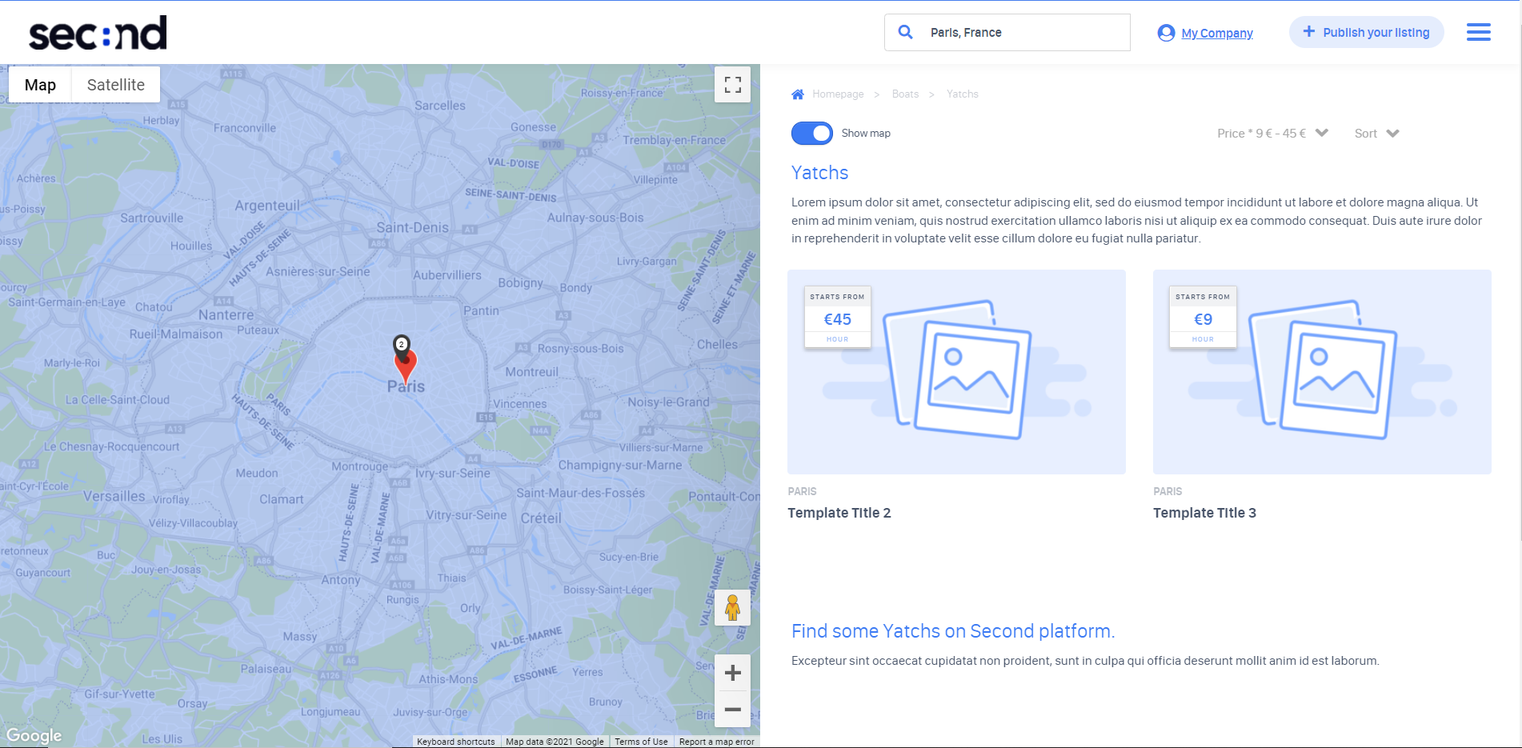
The search results page per category (figure 1) is comparable to the classic search results page [Listings search results page (Time-Based rendering type](/v2.0/front-office/search-result-pages/listings-search-results-page-time-based-mode.md), with a few differences (adapted/additional content) indicating the focus on a given category. These are described below and let users know they are on a search results page per category.
Figure 1
### Detailed category breadcrumb
A detailed breadcrumb is displayed on the search results page per category.
The breadcrumb (figure 2) displays:
* A link the to homepage
* A link to the parent category
* A link to the n-level child category (n being the number of sub-levels within an initial parent category)
Figure 2
### Map section
The map section is similar to the standard search result page. Refer to the following documentation: [Listings search results page (Time-Based) - Map section](https://features.scnd.com/v2.0/front-office/search-result-pages/pages/9O1ylJ9b0iueznD3FEZS#id-1.16.x-listingssearchresultspage-basicsolution-mapsection)
### Listings section
Refer to the following documentation to have information about the standard display: [Listings search results page (Time-Based rendering type) - Listings section](https://features.scnd.com/v2.0/front-office/search-result-pages/pages/9O1ylJ9b0iueznD3FEZS#id-1.16.x-listingssearchresultspage-basicsolution-listingssection)
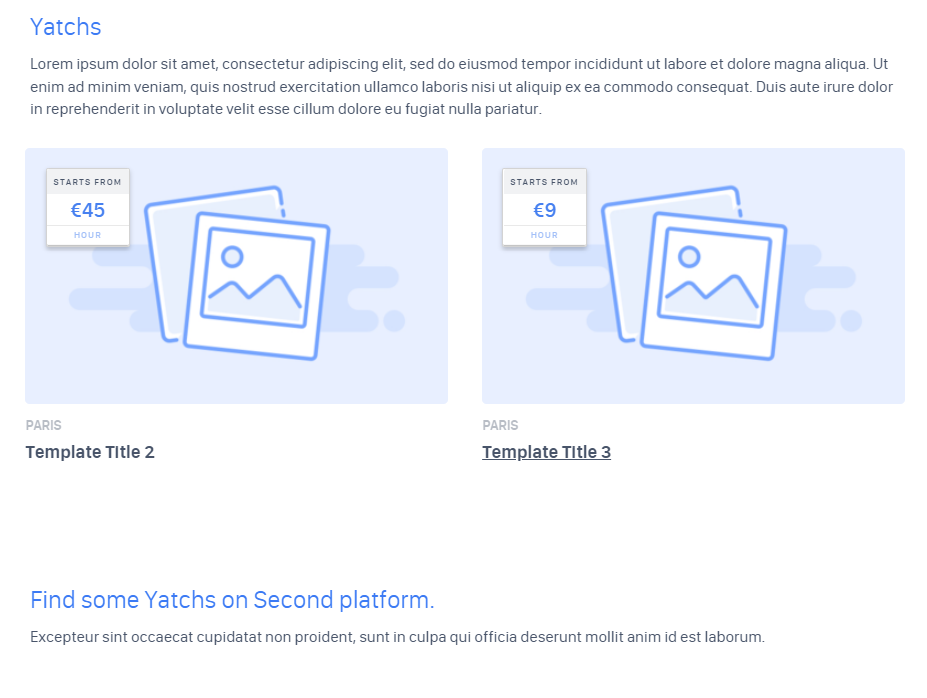
The listings section for a search results page per category (figure 3) displays additional information.
Figure 3
This additional information is configured by the administrator (see Listings categories management for additional information on the management process) and is detailed below:
* The header title, which matches the category’s name (figure 3.1)
figure 3.1
* The header text (figure 3.2) which describes the category
Figure 3.2
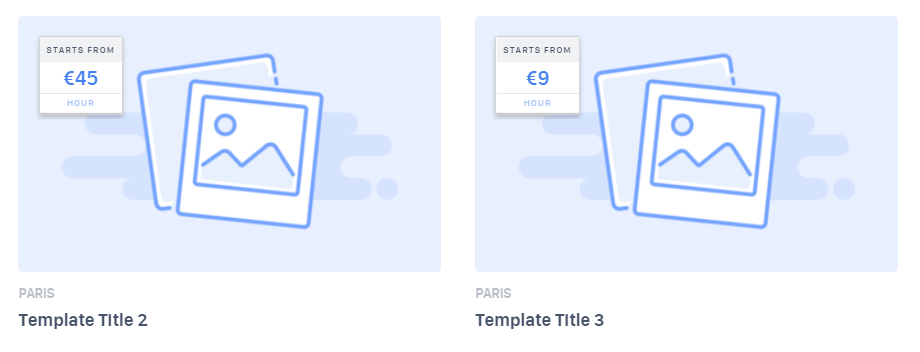
* The matching listings (figure 3.3). Refer to the following documentation:[ Listings search results page (Time-Based rendering type) - Alert section](https://features.scnd.com/v2.0/front-office/search-result-pages/pages/9O1ylJ9b0iueznD3FEZS#id-1.16.x-listingssearchresultspage-basicsolution-alertsection)
Figure 3.3
* The footer title (figure 3.4)
Figure 3.4
* The footer text (figure 3.5) which serves as additional information
Figure 3.5
### Alert section
Refer to the following documentation: [ Listings search results page (Time-Based rendering type) - Alert section](https://features.scnd.com/v2.0/front-office/search-result-pages/pages/9O1ylJ9b0iueznD3FEZS#id-1.16.x-listingssearchresultspage-basicsolution-alertsection)
### Listings paging
Refer to the following documentation: [Listings search results page (Time-Based rendering type) - Listings paging](https://features.scnd.com/v2.0/front-office/search-result-pages/pages/9O1ylJ9b0iueznD3FEZS#id-1.16.x-listingssearchresultspage-basicsolution-listingspaging)
## Update the search results page per category
Refer to the following documentation: [Listings search results page (TIme-Based Rendering type) - Update search results page](https://features.scnd.com/v2.0/front-office/search-result-pages/pages/9O1ylJ9b0iueznD3FEZS#id-1.16.x-listingssearchresultspage-basicsolution-updatesearchresultspage)
## Delete the search results page per category
Users cannot delete content from a search results page per category. However, users can reissue a new search which will effectively replace the previous search with new results.
## Related resources
**SBO :**
* [Listings categories management](/v2.0/superadmin/listings/listings-categories-management.md)
**Front :**
* [Listings search results page (Time-Based rendering type)](/v2.0/front-office/search-result-pages/listings-search-results-page-time-based-mode.md)
* [Listings search results page (](https://features.scnd.com/v2.0/front-office/search-result-pages/pages/9O1ylJ9b0iueznD3FEZS#id-1.16.x-listingssearchresultspage-basicsolution-mapsection)[Time-Based rendering type](/v2.0/front-office/search-result-pages/listings-search-results-page-time-based-mode.md)[) - Map section](https://features.scnd.com/v2.0/front-office/search-result-pages/pages/9O1ylJ9b0iueznD3FEZS#id-1.16.x-listingssearchresultspage-basicsolution-mapsection)
* [Listings search results page (](https://features.scnd.com/v2.0/front-office/search-result-pages/pages/9O1ylJ9b0iueznD3FEZS#id-1.16.x-listingssearchresultspage-basicsolution-listingssection)[Time-Based rendering type](/v2.0/front-office/search-result-pages/listings-search-results-page-time-based-mode.md)[) - Listings section](https://features.scnd.com/v2.0/front-office/search-result-pages/pages/9O1ylJ9b0iueznD3FEZS#id-1.16.x-listingssearchresultspage-basicsolution-listingssection)
* [Listings search results page (](https://features.scnd.com/v2.0/front-office/search-result-pages/pages/9O1ylJ9b0iueznD3FEZS#id-1.16.x-listingssearchresultspage-basicsolution-alertsection)[Time-Based rendering type](/v2.0/front-office/search-result-pages/listings-search-results-page-time-based-mode.md)[) - Alert section](https://features.scnd.com/v2.0/front-office/search-result-pages/pages/9O1ylJ9b0iueznD3FEZS#id-1.16.x-listingssearchresultspage-basicsolution-alertsection)
* [Listings search results page (](https://features.scnd.com/v2.0/front-office/search-result-pages/pages/9O1ylJ9b0iueznD3FEZS#id-1.16.x-listingssearchresultspage-basicsolution-listingspaging)[Time-Based rendering type](/v2.0/front-office/search-result-pages/listings-search-results-page-time-based-mode.md)[) - Listings paging](https://features.scnd.com/v2.0/front-office/search-result-pages/pages/9O1ylJ9b0iueznD3FEZS#id-1.16.x-listingssearchresultspage-basicsolution-listingspaging)
* [Listings search results page (](https://features.scnd.com/v2.0/front-office/search-result-pages/pages/9O1ylJ9b0iueznD3FEZS#id-1.16.x-listingssearchresultspage-basicsolution-updatesearchresultspage)[Time-Based rendering type](/v2.0/front-office/search-result-pages/listings-search-results-page-time-based-mode.md)[) - Update search results page](https://features.scnd.com/v2.0/front-office/search-result-pages/pages/9O1ylJ9b0iueznD3FEZS#id-1.16.x-listingssearchresultspage-basicsolution-updatesearchresultspage)
**Business rules:**
* [Basic solution - Business rules](/v2.0/core-concepts/time-based-rendering-type.md)
---
# Agent Instructions
This documentation is published with GitBook. GitBook is the documentation platform designed so that both humans and AI agents can read, navigate, and reason over technical content effectively. Learn more at gitbook.com.
## Querying This Documentation
If you need additional information that is not directly available in this page, you can query the documentation by asking a question.
Perform an HTTP GET request on the following URL with the `ask` and `goal` query parameters:
```
GET https://features.scnd.com/v2.0/front-office/search-result-pages/listings-search-results-page-per-category-all-rendering-types.md?ask=&goal=
```
`ask` is the immediate question: it should be specific, self-contained, and written in natural language.
`goal` is what the user is ultimately trying to achieve, the reason they need the answer. Sharing it helps GitBook give you a better, more relevant answer. A goal is most helpful when it describes the outcome the user wants rather than restating the question. For example, with `ask=how do I create an API token`, a goal like `automate deployments from our CI pipeline` lets GitBook tailor the answer to that use case.
The response will contain a direct answer to the question and relevant excerpts and sources from the documentation.
Use this mechanism when the answer is not explicitly present in the current page, you need clarification or additional context, or you want to retrieve related documentation sections.